ImageWatch
by Augusto Román
Visual Studio 6.0 Add-In — Allows viewing memory as images
during program debugging
This program is a DLL plugin for Visual Studio 6.0 that extends
the variable watch capabilities to display images during processing. By specifying
the address of image data, the size and type of image, this program will show
the contents of memory at that location as specified.
Download: ImageWatch DLL Plugin v1.0(132KB)
and the FastImageDebug.h (1KB) header file
NOTE: Unfortunately, I could not find
a way of quickly reading large portions of the debugging process' memory
without knowing the process ID. By including the provided header file,
this information is provided and the image debugger will work quickly.
* Without this header file,
reading large portions of memory can be very slow! * |
|
It can display images with combinations of the following:
- Data types:
- 8/16/32 bit signed/unsigned integer images
- float/double
- binary (1 bit)
- Channels:
- L - Luminosity (or intensity) only
- RGB - Up to five source channels can be mapped in any order to RGB
Installation:
- Download the DLL file
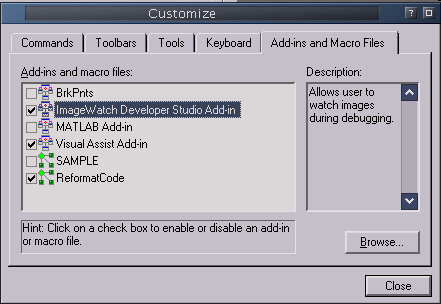
- In Visual Studio, select Tools->Customize, select the "Add-ins
and Macro Files" tab
- Click on "Browse" and select the DLL file that you downloaded
That's it! A new toolbar will be created with the ImageWatch button that
you can use during debugging.
To use the fast memory read, also include the provided header file
in your project.
|
Screenshots:
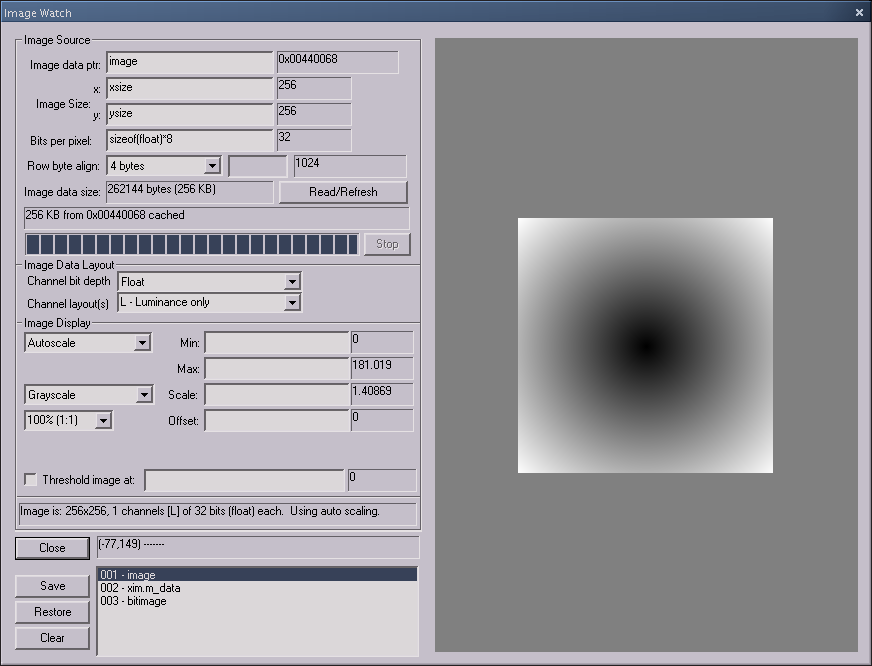
| This image shows the debugger window reading a floating-point image.
Note that the displayed image has been automatically scaled so that the
data range fits within the 0-255 display range. This scaling can be customized. |
 |
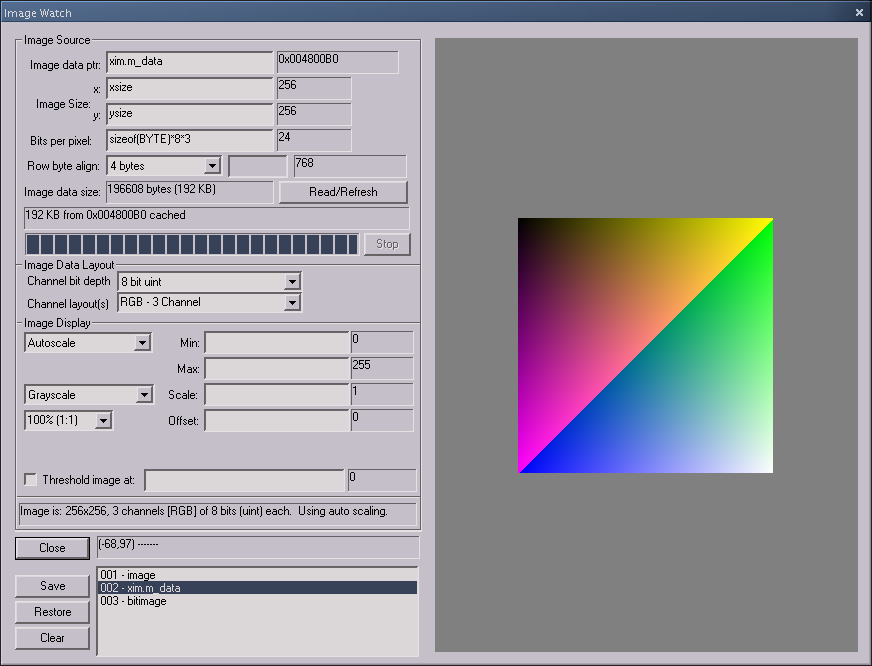
| This image shows an RGB image with all three channels displayed |
 |
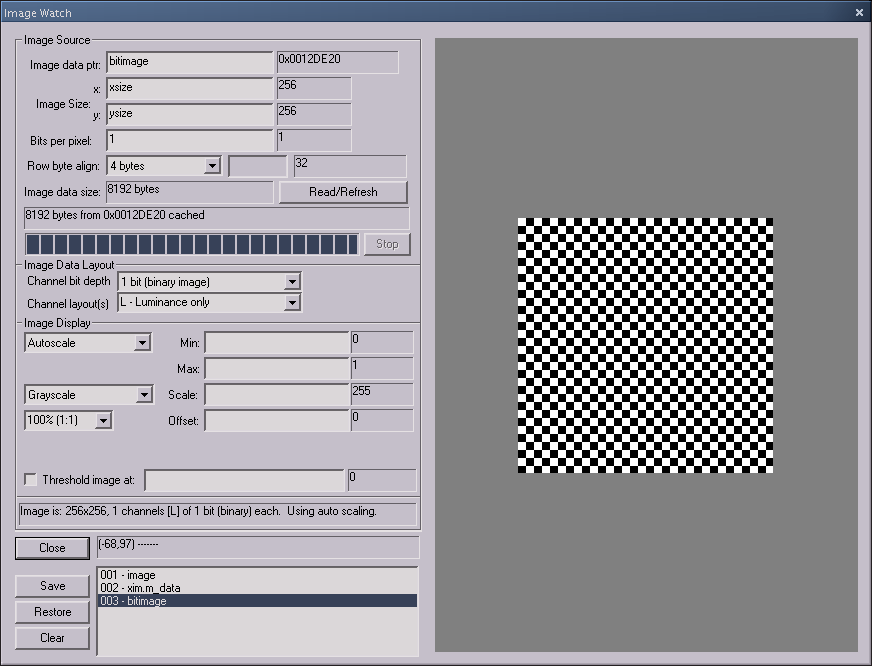
| Finally, a binary image is shown. |
 |
Last updated:
Wednesday, April 21, 2004 5:01 PM