FCam::Image Class Reference
A reference-counted Image object. More...
#include <Image.h>
Public Member Functions | |
| const Image & | operator= (const Image &other) |
| Become a new reference to an existing image. | |
| void | setData (unsigned char *) |
| Make the image refer to data stored elsewhere. | |
| void | debug () const |
| Print out some debugging info about the image. | |
| bool | valid () |
| Test if it's safe to dereference the image data. | |
| bool | lock (int timeout=-1) |
| Lock the image to prevent other threads writing to it with a configurable timeout in microseconds. | |
| void | unlock () |
| Unlock the image. | |
Allocating Constructors | |
These image constructors allocate new memory for image data. | |
| Image (Size, ImageFormat) | |
| Construct a new image of the given size in the given format. | |
| Image (int, int, ImageFormat) | |
| Construct a new image of the given size in the given format. | |
Non-allocating Constructors | |
These image constructors make a new reference to already existing image data. | |
| Image (Size, ImageFormat, unsigned char *) | |
| Construct a new image of the given size in the given format using already existing data. | |
| Image (int, int, ImageFormat, unsigned char *) | |
| Construct a new image of the given size in the given format using already existing data. | |
| Image () | |
| Construct a new image with no memory allocated. | |
| Image (const Image &other) | |
| Make a copy of the image reference. | |
Public Attributes | |
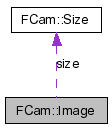
| Size | size |
| The size of the image in pixels. | |
| ImageFormat | type |
| The format of the image data. | |
| unsigned char *const | data |
| A pointer to the image data. | |
Static Public Attributes | |
| static unsigned char * | Discard = (unsigned char *)(0) |
| This value for data represents an image with no allocated memory that should never have data copied into it. | |
| static unsigned char * | AutoAllocate = (unsigned char *)(-1) |
| This value for data represents image data whose first user should allocate memory for. | |
Detailed Description
A reference-counted Image object.If you instantiate an image using one of the constructors that allocates data, the result will be a reference counted image object, that automatically deletes the data when the last reference to it is destroyed.
If you use a constructor that sets the data field, you're telling the image class that someone else is managing that memory, and the destructor will never be called.
Definition at line 24 of file Image.h.
Constructor & Destructor Documentation
| FCam::Image::Image | ( | Size | s, | |
| ImageFormat | f, | |||
| unsigned char * | d | |||
| ) |
| FCam::Image::Image | ( | int | w, | |
| int | h, | |||
| ImageFormat | f, | |||
| unsigned char * | d | |||
| ) |
| FCam::Image::Image | ( | const Image & | other | ) |
Member Function Documentation
| void FCam::Image::setData | ( | unsigned char * | d | ) |
Make the image refer to data stored elsewhere.
This is useful for wrapping image data allocated by another library inside an FCam image (e.g. the framebuffer of an overlay, or the image object of another image processing library). This data will not be reference counted, and hence will never be deleted by this object.
You can also use this method to set the data to NULL, Image::Discard, or Image::AutoAllocate, or even to make a weak reference to another image's data.
| bool FCam::Image::lock | ( | int | timeout = -1 |
) |
Lock the image to prevent other threads writing to it with a configurable timeout in microseconds.
Returns whether the lock was acquired.
The default timeout (-1) indicates you should wait indefinitely, and should always return true. A timeout of zero will not block at all.
Images have locks to coordinate access between multiple threads. When new frames come in, the FCam API will try to lock the target image for them with a short timeout and copy the data in. If the image is still locked at the end of the timeout, it will instead drop the data on the floor (avoiding the expensive memcpy). You can use this for rate control of a viewfinder like so:
	 Shot viewfinder;
	 ...
	 viewfinder.image = Image(640, 480, UYUV);
	 ...
	 sensor.stream(viewfinder);
	 while (1) {
	   // Get the most recent viewfinder frame with image data
	   Frame::Ptr f;
	   do {
             f = sensor.getFrame();
	     // feed the frame to the autoexposure and autofocus routines
	     ...
           } while (sensor.framesPending() || !f || !f->image.valid());

	   f->image.lock();
	   // Do something expensive with the image.
	   // No memcpys into the image will take place during this time.
	   f->image.unlock();
         }
If you absolutely want to save every piece of image data, you should set the target image to an AutoAllocated one, Even the example above doesn't guarantee image data hasn't been clobbered just before you call lock(). It only guarantees you get one consistent image and not a half-written one. If you spend all your CPU time with the frame locked, you may starve the FCam runtime of chances to give you new image data.
Your image may still get clobbered if other threads don't respect the lock, or if the image is a weak reference, and other independently created weak references to the same data exist are being used to write to it. Best to only have one image that refers to external data (images created by other libraries, framebuffers, etc), and construct other references to that data using copies of the first image.
| void FCam::Image::unlock | ( | ) |
Member Data Documentation
| unsigned char* const FCam::Image::data |
unsigned char * FCam::Image::Discard = (unsigned char *)(0) [static] |
unsigned char * FCam::Image::AutoAllocate = (unsigned char *)(-1) [static] |
The documentation for this class was generated from the following files: